 Epicentral Labs
User Guide
Learn how to Stake and Unstake LABS and mint xLABS.
Staking
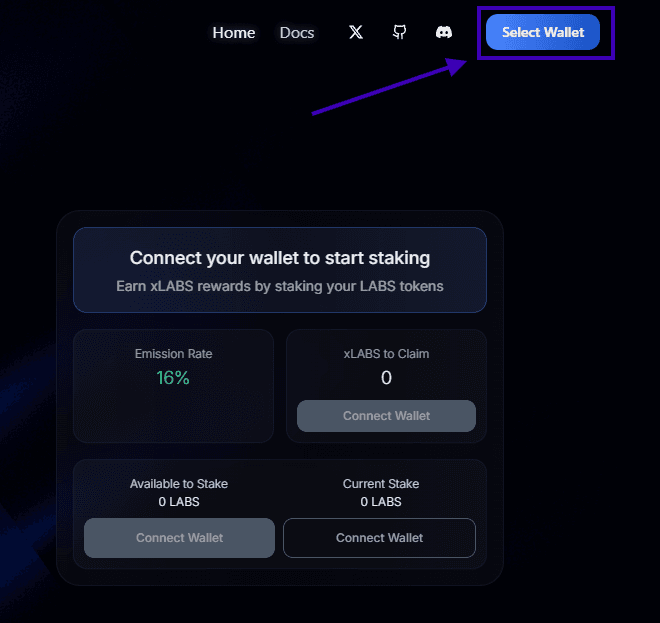
Approve Connection
Approve the connection request from the Staking Lab. This one-time approval lets the Staking Lab view your wallet address and prompt you to sign transactions.
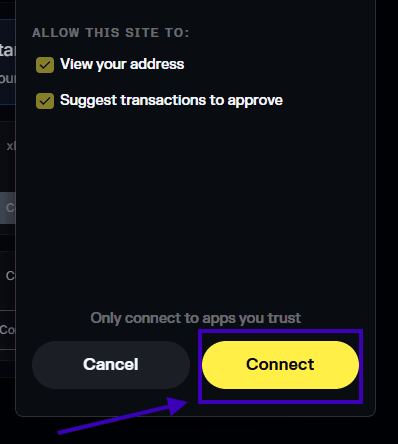
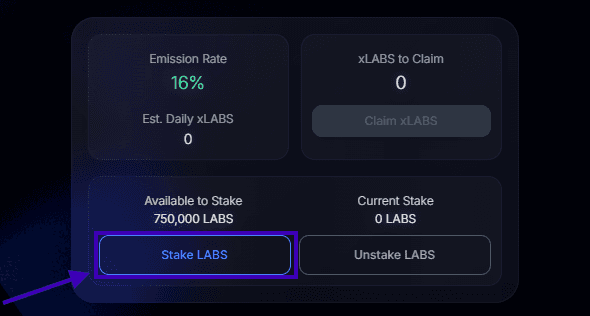
Confirm Transaction
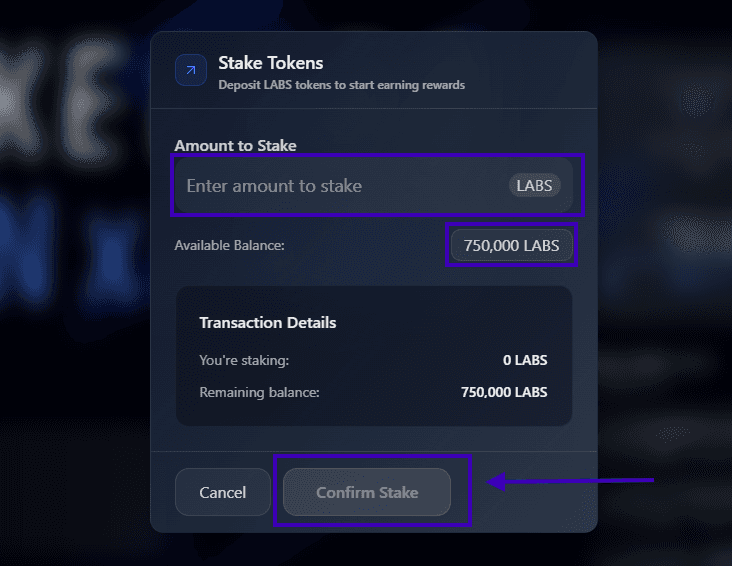
Here you can input the amount of LABS you want to Stake (or click your available balance to deposit all).
Fees
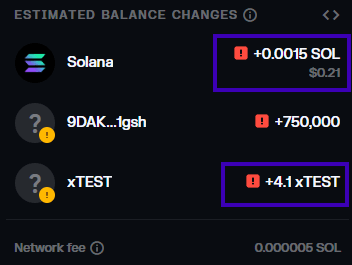
There is a refundable fee of 0.0015 SOL for first-time staking. This covers the rent required for the StakeAccount created for you.
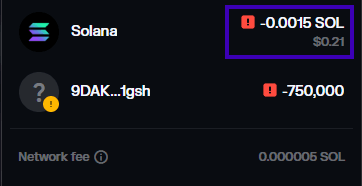
View Staked Balance
You can view your staked balance under "Current Stake" and the receipt on your stake should populate under "Transaction History".

Unstaking
Unstake LABS
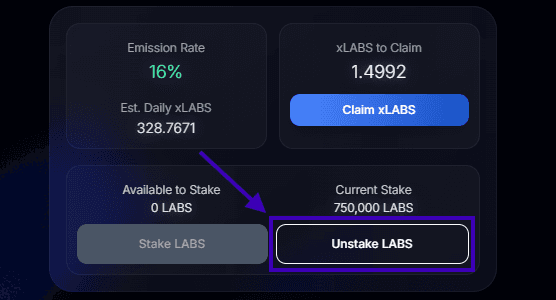
Click the "Unstake LABS" button to unstake (withdraw) your LABS tokens from the Staking Lab.
Note
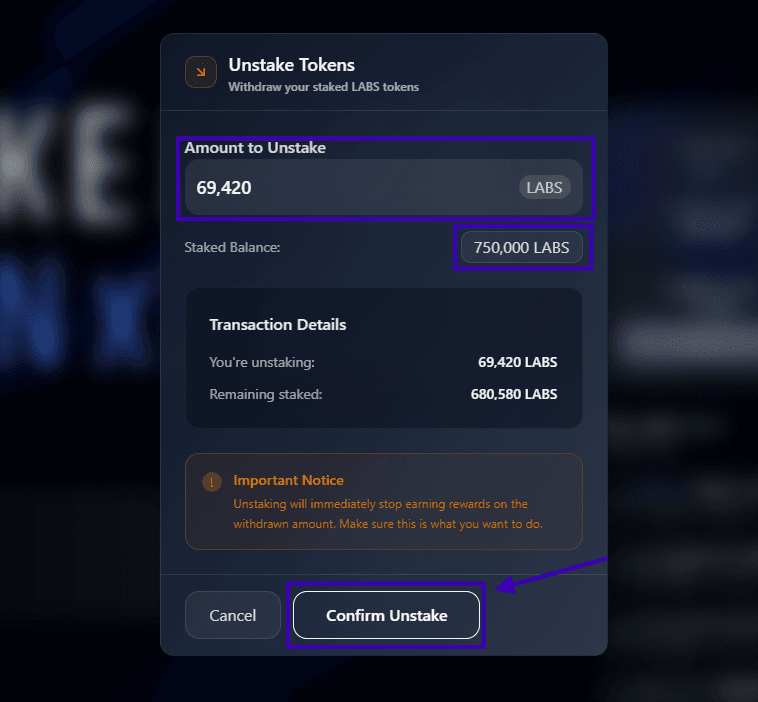
Unstaking will immediately stop earning rewards on the withdrawn amount. Make sure this is what you want to do.
Confirm Transaction
Here you can input the amount of LABS you want to Unstake (or click your full staked balance to withdraw all).
Fee Refund
StakeAccount rent is not refunded for partial-unstake. 0.0015 SOL is only refunded for full-unstake.
Partial-Unstake
Partial unstake will not refund the 'StakeAccount' rent.
Full-Unstake
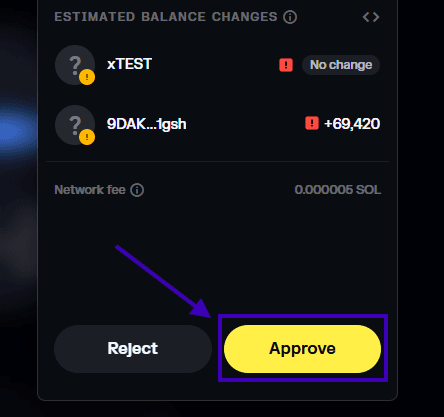
Full unstake will refund the 'StakeAccount' rent and claim and pending rewards.
Minting
Mint xLABS
Minting xLABS depends largely on the amount of LABS you have staked and the protocol-set Emission Rate. This happens over time where the longer you stake, the more xLABS you can mint. This is calculated autonomously using the Reward Calculation System defined in the Staking Program.

Minting xLABS
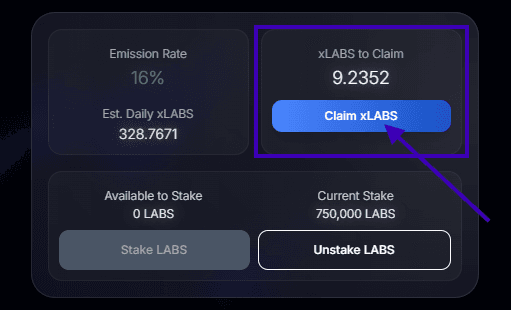
xLABS are only minted after you have "Claimed".
No Minting Fees
No protocol fees are taken when minting xLABS.
Claiming
Claiming xLABS
Click the "Claim xLABS" button to claim your xLABS tokens.
No Claiming Fees
No protocol fees are taken when claiming xLABS.
Confirm Transaction
Here you can input the amount of xLABS you want to Claim (or click your available balance to claim all).
Numerical Mismatch
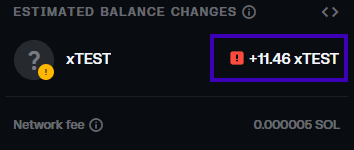
You may notice the amount of xLABS shown in your simulated transaction doesn't match what you actually receive. This happens because you continue accumulating xLABS during the claiming process (while you sign and approve the transaction). As a result, by the time the transaction executes, you'll receive more xLABS than the simulated amount.
Redeem Rewards
Redeeming Rewards is done using xLABS. It is the process of spending your xLABS to redeem rewards from the Reward Pool.
This is a feature still in development and will be available closer to the launch of OPX on mainnet.
Last updated on